Thiny Bunny: A Charming Display Font for Creative Ideas
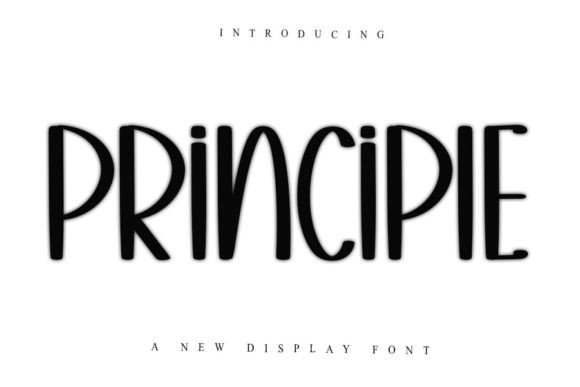
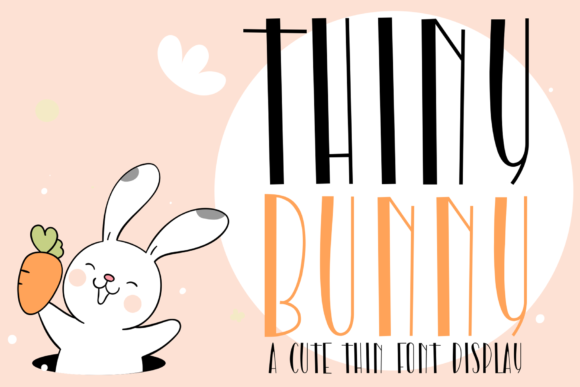
Imagine a typeface that combines delicate elegance with a striking, modern silhouette. That's the charm of Thiny Bunny, a cute, tall, and thin display font designed to capture attention and elevate your creative projects. Its unique character makes it more than just letters on a page; it becomes a key part of your visual story, offering a blend of whimsy and sophistication that's hard to find.
This premium font is crafted for moments where you need your typography to do more than just convey a message. Its slender, elongated form and charming personality make it an ideal choice for designs that aim to feel both friendly and polished. Whether you're working on a new brand identity, designing an eye-catching poster, or crafting elegant invitations, Thiny Bunny provides a distinctive voice that helps your work stand out in a crowded visual landscape.
Where This Creative Font Shines
Understanding the best applications for a display font like Thiny Bunny can help you use it to its full potential. Its unique style is particularly effective in contexts where visual appeal is paramount.
- Logo Design & Branding: The font's distinctive look is perfect for creating memorable logos and brand marks, especially for businesses in lifestyle, beauty, children's products, or boutique services. It helps build immediate brand recognition with its unique aesthetic.
- Editorial & Packaging Design: Use it for headlines in magazines, book covers, or product packaging to draw the eye. It works beautifully for cosmetic labels, artisan goods, or any product where the packaging is part of the experience.
- Poster & Social Media Graphics: For event posters, digital ads, or Instagram stories, Thiny Bunny adds a layer of personality. Its tall structure commands space, making it great for quotes, announcements, or promotional banners.
- Web Design & Digital Products: Incorporate it into website hero sections, landing page headers, or for the titles of digital planners and e-books to give your digital assets a professional and cohesive look.
Tips for Choosing and Pairing Your Typeface
Selecting the right font is a crucial design decision. When considering a creative font like Thiny Bunny, keep these practical tips in mind to ensure it works harmoniously within your project.
Prioritize Readability: As a display font, Thiny Bunny is best used for headlines and short bursts of text. Always check its readability at the size you intend to use it, especially for crucial information. Pair it with a clean, simple sans-serif font for body text to maintain clarity and contrast.
Match the Mood: The font's charming and unique character sets a specific tone. Consider if that tone aligns with your project's message. It's wonderful for projects that need a touch of whimsy, elegance, or modern sophistication, but might not be the right fit for formal or highly technical content.
Explore Font Pairing: Great design often involves thoughtful font pairing. Thiny Bunny pairs exceptionally well with neutral serif or sans-serif fonts. This contrast allows its personality to shine without overwhelming the design. Test a few combinations to see what feels balanced.
Check the License: Before finalizing any design asset, always review the font's license. Ensure it covers your intended use, whether for personal projects, commercial client work, or merchandise. A clear license gives you peace of mind and protects your creative work.
Enhancing Your Design Assets
The right typeface does more than fill space; it strengthens your entire visual system. A well-chosen font like Thiny Bunny contributes to visual consistency across all your materials, from your website to printed collateral. This consistency builds a professional presentation that clients and audiences trust. It becomes a recognizable element of your brand identity, much like a color palette or logo mark.
In a world of endless design choices, finding a font that feels both special and functional is a valuable discovery. Thiny Bunny offers that rare combination, providing a tool that can adapt to various creative ideas while leaving a lasting impression. By thoughtfully integrating it into your workflow, you can add a layer of polish and personality that elevates your designs from good to truly memorable.